


Page 36 - Young Wise
P. 36
Fadime ÜSTÜNER                                                        ACADEMIC CORNER


        Are you confused


        by these tech terms?


        You’re not alone. Many learners mix up these pairs
        because they look similar but they have different
        meanings. Take a closer look at each one to understand
        how to use them correctly.

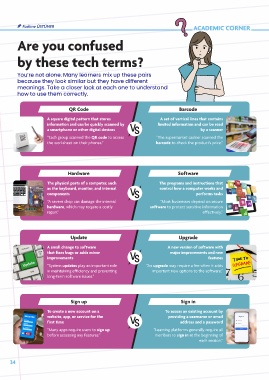
                             QR Code                                       Barcode

                    A square digital pattern that stores           A set of vertical lines that contains
                    information and can be quickly scanned by     limited information and can be read
                    a smartphone or other digital devices                          by a scanner
                    “Each group scanned the QR code to access    “The supermarket cashier scanned the
                    the worksheet on their phones.”              barcode to check the product’s price.”


                             Hardware                                     Software
                    The physical parts of a computer, such        The programs and instructions that
                    as the keyboard, monitor, and internal         control how a computer works and
                    components                                                    performs tasks
                    “A severe drop can damage the internal         “Most businesses depend on secure
                    hardware, which may require a costly       software to protect sensitive information
                    repair.”                                                        effectively.”


                              Update                                       Upgrade

                    A small change to software                        A new version of software with
                    that fixes bugs or adds minor                      major improvements and new
                    improvements                                                       features
                    “System updates play an important role   “An upgrade may require a fee when it adds
                    in maintaining efficiency and preventing    important new options to the software.”
                    long-term software issues.”


                              Sign up                                      Sign in
                    To create a new account on a                     To access an existing account by
                    website, app, or service for the                  providing a username or email
                    first time                                             address and a password
                    “Many apps require users to sign up         “Learning platforms generally require all
                    before accessing any features.”              members to sign in at the beginning of
                                                                                   each session.”


     34

