


Page 58 - Young Wise
P. 58
Murat KUVVETLI                                                                   FUN PAGE


        An Onlİne Game


                    FOLKSTOWN
                    TECH QUEST 3D
                      meb.ai/UG2TpVL

        1. Introduction
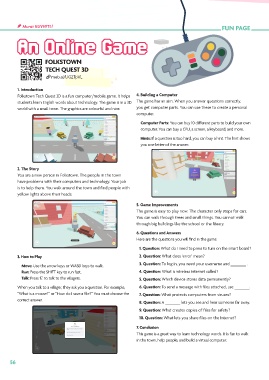
        Folkstown Tech Quest 3D is a fun computer/mobile game. It helps   4. Building a Computer
        students learn English words about technology. The game is in a 3D   The game has an aim. When you answer questions correctly,
        world with a small town. The graphics are colourful and nice.  you get computer parts. You can use these to create a personal
                                                         computer.
                                                           Computer Parts: You can buy 10 different parts to build your own
                                                           computer. You can buy a CPU, a screen, a keyboard, and more.

                                                           Hints: If a question is too hard, you can buy a hint. The hint shows
                                                           you one letter of the answer.


        2. The Story
        You are a new person in Folkstown. The people in the town
        have problems with their computers and technology. Your job
        is to help them. You walk around the town and find people with
        yellow lights above their heads.

                                                         5. Game Improvements
                                                         The game is easy to play now. The character only stops for cars.
                                                         You can walk through trees and small things. You cannot walk
                                                         through big buildings like the school or the library.
                                                         6. Questions and Answers
                                                         Here are the questions you will find in the game:
                                                          1. Question: What do I need to press to turn on the smart board?
        3. How to Play                                    2. Question: What does ‘error’ mean?

          Move: Use the arrow keys or WASD keys to walk.  3. Question: To log in, you need your username and _______ .
          Run: Press the SHIFT key to run fast.           4. Question: What is wireless internet called?
          Talk: Press ‘E’ to talk to the villagers.       5. Question: Which device stores data permanently?
        When you talk to a villager, they ask you a question. For example,   6. Question: To send a message with files attached, use _______.
        “What is a mouse?” or “How do I save a file?” You must choose the   7. Question: What protects computers from viruses?
        correct answer.
                                                          8. Question: A _______ lets you see and hear someone far away.
                                                          9. Question: What creates copies of files for safety?
                                                          10. Question: What lets you share files on the Internet?
                                                         7. Conclusion
                                                         This game is a great way to learn technology words. It is fun to walk
                                                         in the town, help people, and build a virtual computer.


     56

